
This graduation project believes that a human touch will not only beautify the printed page but put the human back into a production process monopolised by machines. Read more about this project on www.louisenauntonmorgan.com
This graduation project believes that a human touch will not only beautify the printed page but put the human back into a production process monopolised by machines. Read more about this project on www.louisenauntonmorgan.com
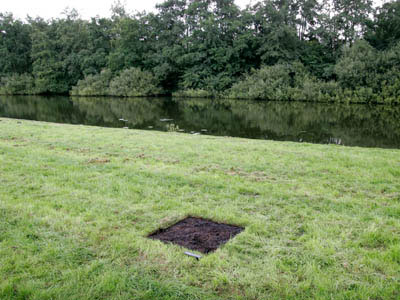
Dead pixel in Google Earth, Helmut Smits, 2008
82 x 82 cm burned square, the size of one pixel from an altitude of 1 km.
photo: Jeroen Wandemaker
What would you do with 650.000 search engine search queries?*. Artist Joel Galvez wrote an algorithm to generate answers to these searches and bound them beautifully into this book. The book was on display during October at my local gallery and project space Meneer de Wit in Amsterdam.
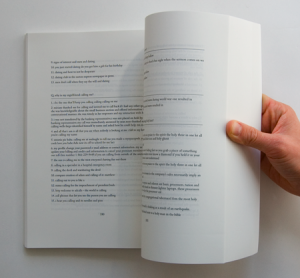
Question:
Why does one hemisphere have spring at the same time the other hemisphere has autumn?
Answers:
1. one hemisphere has spring at the same time the other hemisphere has autumn
2. many rhythms from africa were transplanted in the western hemisphere during the slave trade.
3. the three major rivers of the western hemisphere
5. left and right hemisphere of the brain
6. the year 1400 in the western hemisphere
A project by Joel Galvez.
*Data that was accidentally released to the public called the The AOL Data Leak
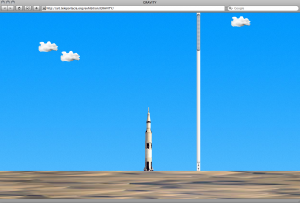
Even though I first came across ‘Gravity‘ back in 2005 , it still fascinates me. Scroll bars and in turn the web, took on a whole new 3 dimensional meaning. Is it the simple simulation of physics (gravity) that make these scroll bars so dramatically more physical?
Artist: Olia Lialina is the author of First Real Net Art Gallery, Last Real Net Art Museum, The Most Beautiful Web Page. Co-author of Zombie&Mummy episodes. Net Art pioneer and entrepreneur. Animated GIF model. Wife of rockstar.

This is the first in a series of exhibitions featuring a selection of the tangible works that have featured in their respective digital representations on the design blog It’s Nice That. We met up with the founder Will Hudson and contributor Alex when they were in Amsterdam this summer, they were visiting Job Wouters aka Letman to get him to sign last months ‘If You Could’ prints. We discussed how the blog has resulted in them traveling to meet people and experiencing the tangible works that they post. We also appreciated the face to face exchange between Author and Reader.
The work is on show at The Viewpoint Gallery at Plymouth College of Art between 24 September & 24 October 08.
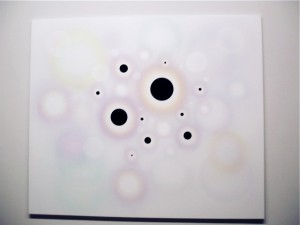
Are these circles burnt onto my retina from the screen I have been staring at or are they painted onto the canvas? Roland Schimmel researches visual perception. His tools: screen and canvas, light and paint.
The effect even works well in this .jpeg
If you stare at a white wall and see a black square with 1024 x 768 proportions, time to turn off your computer and visit your friends.
This was one of the exhibits at Deep Screen, one of the last exhibitions to show at Stedelijk Museum CS building, Amsterdam. I managed to get there in the last days. Picking up a hand held controller and sitting in front of a big screen I experienced physical and virtual interaction in a similar way to making my first abstract marks on paper. Artist Jodi.
Artists Arthur Elsenaar and Remco Scha use the human face as an interface to express a computers emotions. Electrodes attached to the face programmed by the computer results in some funny faces. Faceshift (2005)
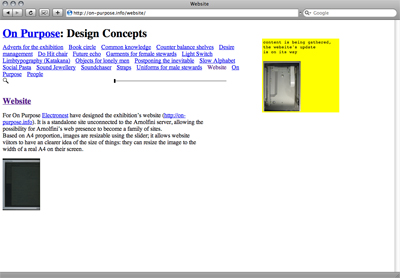
Electronest bring a visitors attention to how formats and the perception of them differ between screen and paper. Visit the the exhibition website use the slider and scale your perception.

London based illustrator Melvin Galapon has produced these silkscreen/embossings of the jpeg icon. Galapon says he is “Looking at simplicity of form with in a busy image and relating this back to technology by using the relationship of the rgb colours from a jpeg icon”. There was a time that I could google for images with the search term “jpeg” and find an abundance of this archaic icon, where has it gone?
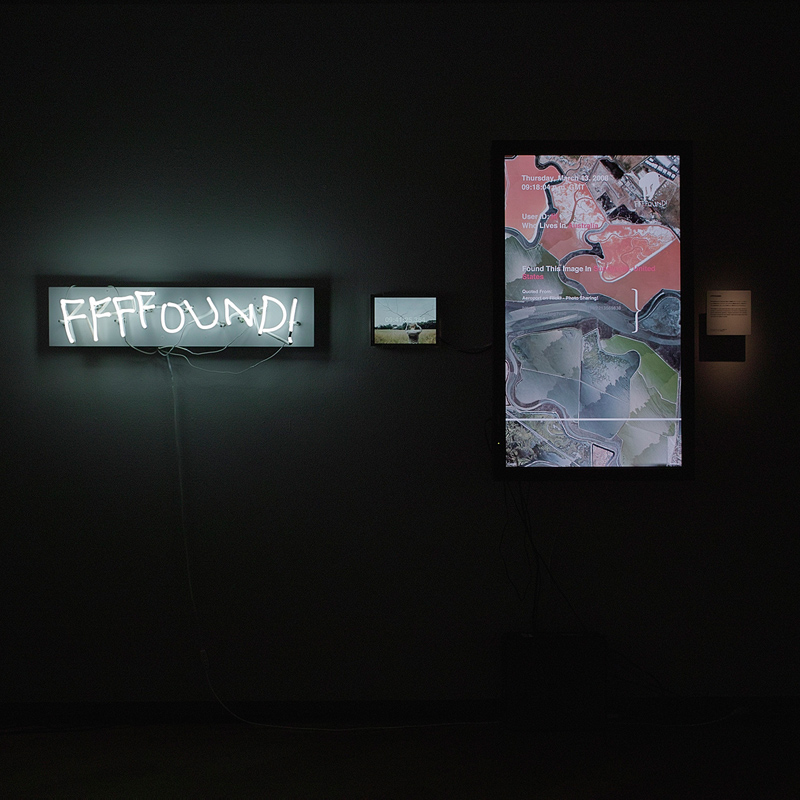
FFFFOUND! allows its users to bookmark and share images online. In this exhibition even the logo was extracted from the web and lit up in neon on the wall.
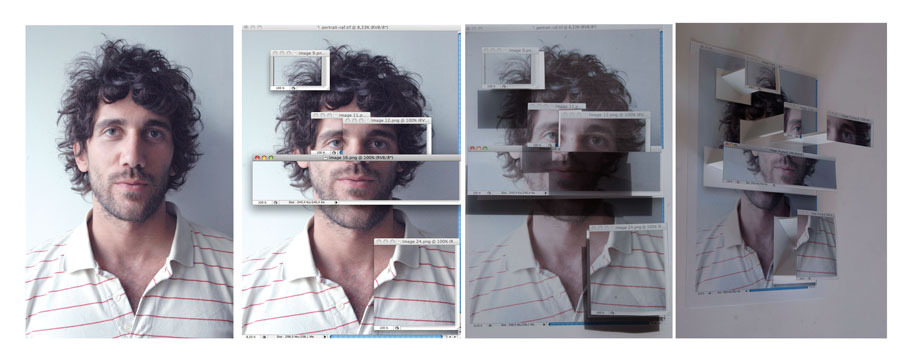
The Screen Shot Poster is a nice idea from designer Sarah Kahn. By the looks of it, a photograph has been deconstructed and then reconstructed through separate windows on her computer, but why? We do like though that she has then taken this out of the computer, and made a 3 dimentional construction on the wall. One question remains, what is he smiling at?
This week we met up with Will and Alex from design blog it’s nice that. They were in Amsterdam visiting Job Wouters aka Letman to get him to sign last months ‘If You Could’ prints. We discussed how the blog has resulted in them traveling to meet people and experiencing the tangible works that they post on the blog, we think this tangible and personal exchange resulting from networked media is way cool!

Anyone recognise this shop window so we can find it on google?
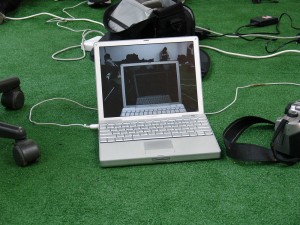
This is a screensaver designed in response to a two day master class at www.tag004.nl with David Reinfurt. It has been designed on location where it records and plays back its own physical environment and time. Watch the room saver
Apple hsve shifted my keybosrd one key to the right which results in a lot of very frustratibng spelling mistakes. The best and most repetitive yet has to be “eee.” instead of “www.” A physical move by apple to the right or has my brain moved one to the left, has anyone else experienced this lately?
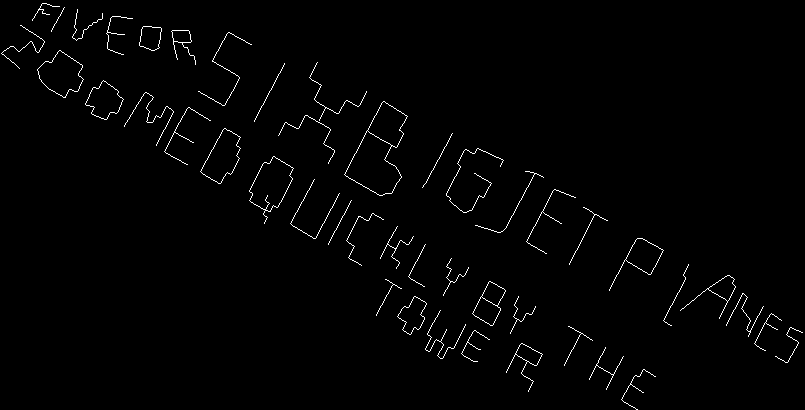
“Five or six jet planes zoomed quickly by the tower” written within the grid of New Yorks streets: a new typeface. Seems to be little documentation online about this project. We know that this is a project by Amsterdam artist Jodi and they have performed this in more cities. Please comment if you know more that we do :-)
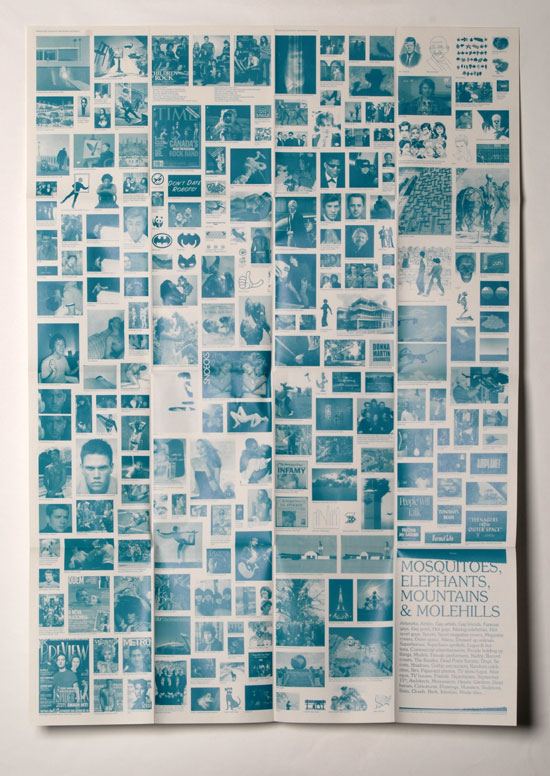
Mosquitoes, Elephants, Mountains & Molehills is a poster by designer Bart de Baets. Meaning is derived from an images context, association and meta collected by Bart and his friends. The resulting collection is composed in egalitarian monochrome and scale, in much the same way that search engines present us image results.

Graphic designer Jean Jullien mixes various print techniques, cut paper and ink on wall and paper.

Vanessa van Dam created 15 Different posters for an exhibition about the work of artist Sjaak Langenberg.
“Because the art projects of Langenberg are mainly situated in public space, it was difficult to show it in a museum. Therefore I decided to collect all available information of a specific project (pictures, videotapes, newspaper reviews, official letters, etc.) and photographed it full-size (1:1). The title of each project became the title of each poster. Because of the full-size pictures, everything was still legible.” Vanessa van Dam
Amateur by Lasse Gjertsen is a genius.
“I can neither play the Drums nor the Piano….”
A Punk by Vampire Weekend are well directed by Hammer & Tongs

“A quaint paper preview of the augmented reality tech that people will take for granted in the years to come.” wrongdistance.com
Here you can find a script to help you create your own version: http://zx-81.com/2008/07/googlegoggles/

Export to World aims to copy objects from Second Life’s walled economy of simulated things. “We export those into the real world by transforming them into life-size papercraft models”. The paper donut, just like we can’t eat money, we wouldn’t survive long on a virtual donut either. Export to World was created by Linda Kostowski and Sascha Pohflepp for Ars Electronica 2007.

Online magazine Manystuff wants to extend its activities to this paper medium. Title is More real than fiction, which raises some questions about both the content (what is fictitious about it?) and the designers and the blog (are they for real?).
Is it the work itself, the collection as a “thing” or the collectors eye that have the main focus in these days of bookmarking and powerblogging?
an interesting article on these issues:Â http://www.wordswithoutpictures.org

Ikikik! (me me me!) is an interactive exhibition. “feel and look good on the street and on the net” At Mediamatic, Amsterdam with Andrea Crews from Paris and the Leger des Heils ReShare.
